
Hi, I’m an laser CNC machine technical consultant in Blue Elephant CNC. And for the past 15 years, I’ve specialized in getting the most out of CNC laser technology. My experience spans everything from small workshop CO2 laser engraver to industrial-scale fiber laser systems. My job is helping businesses achieve two critical things: uncompromising precision and maximum efficiency.
You’ve invested, or are planning to invest, in a high-quality machine because you know precision matters. You need a reliable tool that turns digital designs into perfect physical parts, fast.
This guide simplifies the entire process. I’ll walk you through the steps I follow on a daily basis, focusing on the practical knowledge that minimizes errors and maximizes your machine’s productivity.
Let’s get your shop running smoothly and profitably.
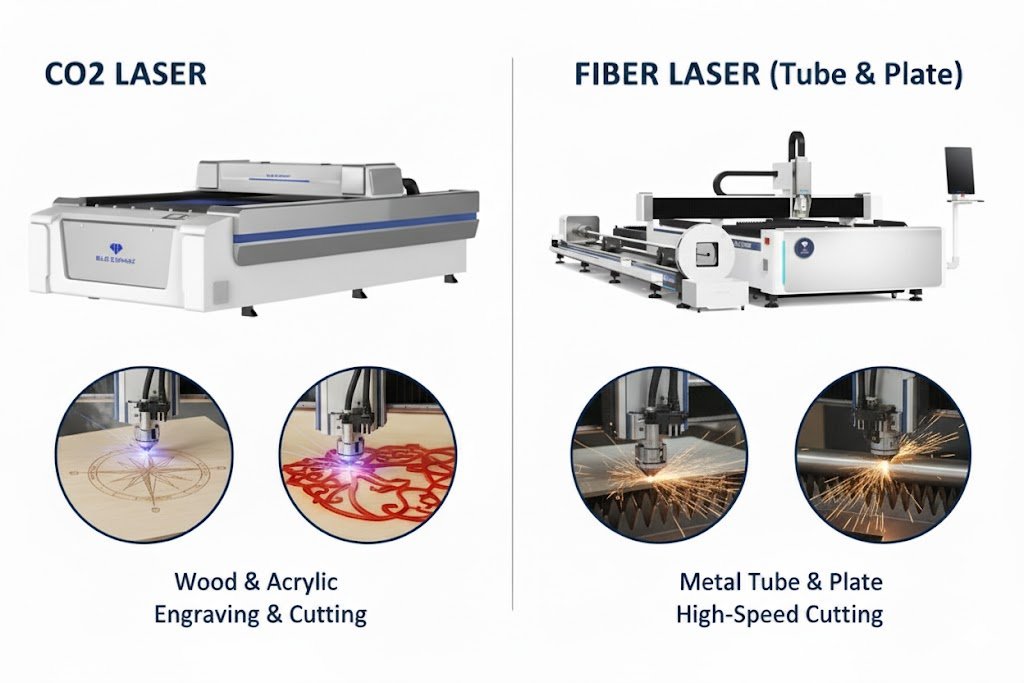
Step1: Determine the tools to use:Fiber Laser vs. CO2 Laser
Before touching a single button, you must know what tool you are working with. The type of laser you have dictates the materials you can process and the settings you will use.
1. The Fiber Laser
Fiber laser cutting machines are the choice for processing metals—steel, aluminum, stainless steel, and copper. The laser is generated inside an optical fiber.
- Key Advantage: The beam is incredibly focused and concentrated, making it extremely fast and efficient at cutting reflective materials and achieving fine detail on thin sheets.
- The Power Factor: The higher the wattage (measured in Watts, W), the faster and thicker the metal you can cut. If metal production is your primary business, prioritizing power for speed pays for itself quickly.
2. The CO2 Laser
The CO2 laser engraving machine is excellent for cutting and engraving non-metals. Think wood, acrylic, leather, paper, and certain plastics. It uses an electrical discharge through a sealed tube of gases to generate the beam.
- Key Advantage: It produces a wavelength easily absorbed by organic materials, giving you smooth, clean edges on items like signage and craft parts.
- A Technical Note: CO2 laser cutter requires a chiller to maintain the gas tube’s temperature. Ignoring this shortens the tube’s lifespan—treat your chiller like gold!
| Type | Best For | Blue Elephant Advantage |
| CO2 Laser | Wood, Acrylic, Leather, Fabric | Excellent beam quality for fine engraving and smooth cuts on non-metals. |
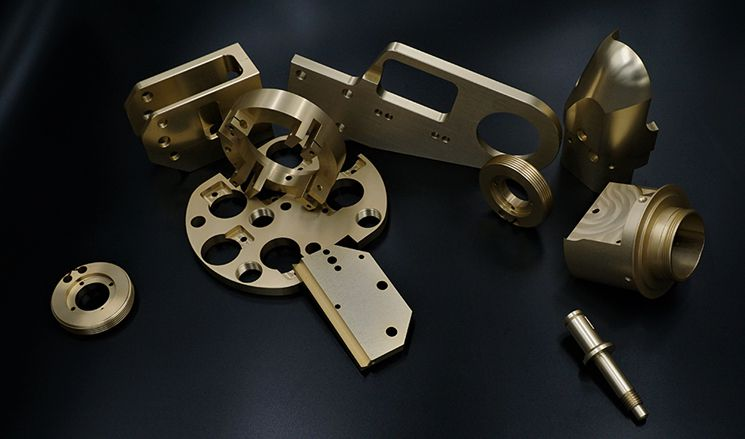
| Fiber Laser | Metal (Steel, Aluminum, Brass) | High power density for fast, clean cuts on thick, reflective metals—maximizing your production efficiency! |
Step 2. Safety Preparation and Equipment Inspection
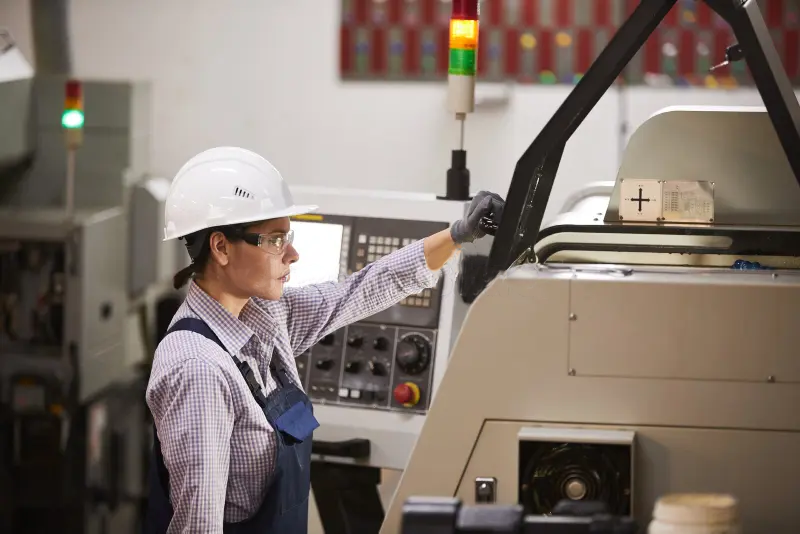
Safety is not just a rule—it’s the foundation of efficiency. Never start a job without a thorough check.
- Personal Protection First: Always wear specialized laser-protective goggles to prevent direct eye contact with the laser beam.
- Environmental Safety Check: Your workspace must be clean and completely free of flammable or explosive materials. Since cutting generates smoke and fumes, always engage your smoke-exhaust system or confirm superior indoor ventilation before running the job.
- Optical Path Check: Verify that the entire beam path, from the laser source to the head, is clean and unobstructed.
- Lens Maintenance: Gently clean the focusing lens using specialized lens-cleaning paper and anhydrous alcohol. Even minor stains drastically reduce cutting power and quality.
- Cooling System Check: For water-cooled lasers, ensure the chiller tank has sufficient water. Start the water pump and confirm that the water flow is circulating normally—proper cooling is vital for protecting your laser tube.
- Assist Air Pressure: If your machine uses an auxiliary air function, confirm the air pump is on and the pressure is set to the moderate level required for your material.
Step 3. Material Preparation and Fixing
The right material handling ensures an even cut and prevents machine damage.
- Material Selection & Hazards: Only use suitable materials like acrylic, wood, paper, leather, and rubber. Crucially, avoid materials like PVC (which produces toxic chlorine gas), polycarbonate (PC), and any chlorine- or fluorine-containing compounds. If unsure about a material, consult its safety manual or run a small, isolated test.
- Platform Calibration and Fixing: Lay the material flat on the processing bed. Use the dedicated focus-finding ruler (or the machine’s manual focus feature) to accurately set the laser head height, ensuring the focal point rests precisely on the material’s surface. For small or irregular pieces, use clamps or masking tape.
Step 4. Software Setup and Parameter Import
The quality of your digital file and settings directly determines the quality of your finished part.
- Design File Finalization: Use vector-drawing software (e.g., CorelDRAW, AutoCAD, Illustrator) to finalize your graphics. Verify that all cutting and engraving lines are pure vector paths—this is what the machine follows.

- Software Connection: Open your laser machine’s control software (such as RDWorks or LightBurn) and establish a stable connection.
- Parameter Settings: Import the finalized design file. Set processing parameters based on the material type and thickness. For multi-process jobs (cutting and engraving), assign different power, speed, and pass settings to different line colors.
Step 5. Start Processing and Real-time Monitoring
This is where preparation meets production. Never walk away while the machine is active.
- Job Positioning: Use the “red-light positioning” feature in the software to preview the path the laser head will trace. Confirm that the graphic is perfectly aligned with the material on the bed.
- Start Processing: Double-check that the door is securely closed (engaging all safety interlocks). Then, click the “start” or “download” button in the software.
- Whole-Process Monitoring: Do not leave the equipment unattended. Closely watch the processing area for potential hazards like material ignition, abnormal smoke, incomplete cuts, or power fluctuations. In any emergency, immediately locate and press the emergency stop button.
Step 6. Post-Job Finishing and Cleanup
The final steps secure the quality of your output and the longevity of your machine.
- Wait for Clearance: Once the job is done, the laser head will return to its home position. Do not open the door immediately. Allow the smoke-exhaust system to run for an additional 1-2 minutes to fully clear residual smoke and fumes.
- Safe Removal: Carefully remove the finished work. Remember that edges may be hot or sharp; handle with care.
- Cleanliness is Key: Immediately clean up any residue, scraps, and debris on the processing platform. Regular cleaning extends component life.
- Power Down: Systematically turn off the power to the laser machine, computer, smoke-exhaust system, and—most importantly—the cooling system.
Step 7. Post-Processing and Quality Assurance
The parts are cut. The final step is inspection and cleaning to ensure they meet your high standards.
1. Cleaning the Parts
Every material leaves some residue.
- Wood/Acrylic: Often requires cleaning up smoke residue. For wood, light sanding works. For acrylic, specific chemical cleaners can achieve a high-polish shine.
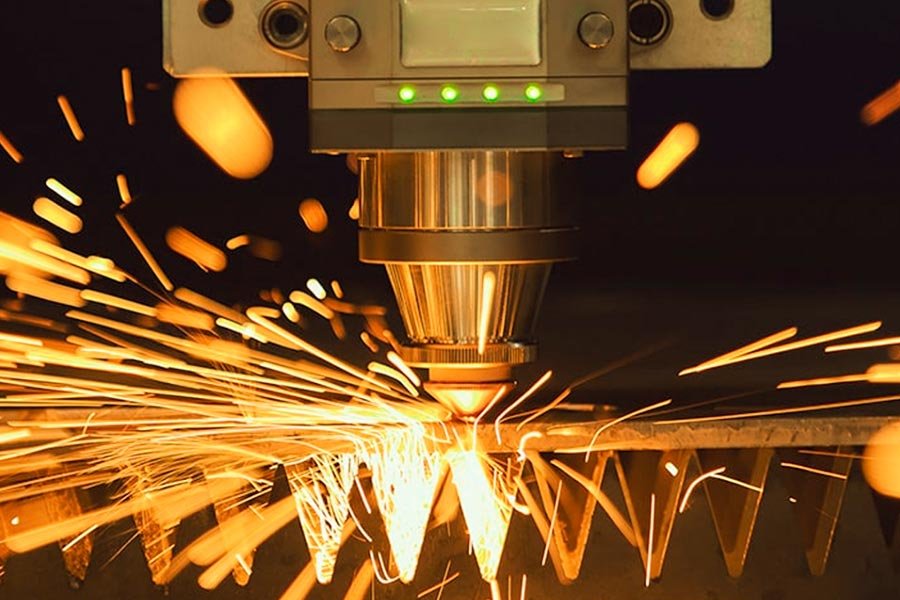
- Metal Dross: Fiber lasers often leave “dross”—molten material stuck to the underside of the cut. Optimized settings minimize dross, but removing it usually requires minor grinding or tumbling.
2. Final Quality Checks
Your reputation is built on the quality of your output.
- Dimensional Verification: Use quality calipers to measure the finished parts. Do they match the CAD file? If there’s a recurring error, you may need to adjust your kerf compensation setting in the software.
- Edge Smoothness: A smooth, perpendicular edge indicates a perfectly focused beam and optimized settings. A heavily tapered or rough edge means something is out of alignment or your speed is too high.
Some precautions:Laser Cutting Parameter Control
Your success hinges on finding the perfect balance between three parameters: Power, Speed, and Frequency. This combination is often called the “laser recipe.”
1. Power (P) and Speed (S): The Primary Drivers
These two work against each other.
- Power: This is the percentage of the laser’s total capacity. Use high power for thick materials; low power for delicate engraving.
- Speed: How fast the laser head moves. Low speed means the beam spends more time on a spot, delivering more energy.
- Rule of Thumb: Always try to cut with the highest speed possible that still achieves a clean, full-depth cut. This maximizes throughput.
- Example Recipe: For a 3 mm thick basswood sheet, you might set the cutting parameters to 20 mm/s speed and 65% power (based on a 60W tube).
2.Balancing Power and Speed
This is the central challenge. The goal is to deliver just enough energy to cut through cleanly while moving as fast as possible.
- Too Much Power / Too Slow: Excessive burning, wider kerf, potential material warping.
- Too Little Power / Too Fast: Incomplete cuts, resulting in wasted time for second passes.
| Material Scenario | Recommended Adjustment |
| Thick Acrylic (Clean Edge) | Lower Speed, High Power, High Frequency |
| Thin Steel (Fast Production) | High Power, Maximum Safe Speed, Specific Assist Gas (O2 or N2) |
| Engraving Wood (Depth) | Low Speed, Moderate Power, Low Frequency/PPI |
Blue Elephant Efficiency Boost: Time is money. Our advanced CNC systems include pre-calibrated material profile libraries. Instead of spending hours running test scraps, you can select ‘1/4-inch Mild Steel’ and the machine suggests optimized Power, Speed, and Gas settings. This gets you to profitability faster.
Blue Elephant CNC: Defining Your Laser Cutting Precision
You understand that mastering your machine is key, but a truly good machine is the foundation for impeccable precision.
Blue Elephant CNC is more than just a laser cnc machines seller; we are a manufacturer with complete, self-owned production workshops and supply chains. This means every Blue Elephant CNC laser machine, from steel blanking and welding to precision machining, final assembly, and commissioning, is fully manufactured in-house under strict quality control.
You’ve invested, or are planning to invest, in a high-quality laser cutting machine. This is exactly what Blue Elephant CNC equipment excels at; our machines are designed to be the most reliable heavyweights in your workshop.
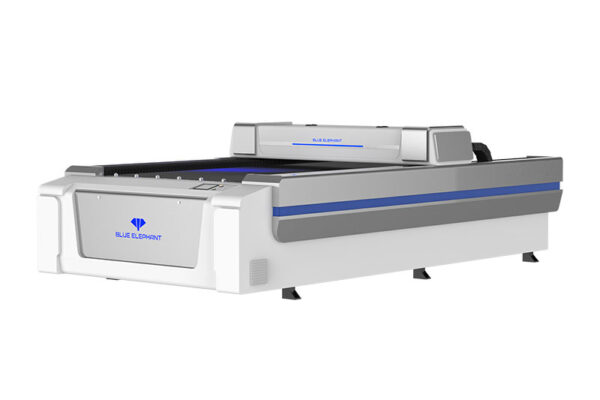
1. CO2 Laser Cutting Machine
1326 130W CO2 Laser Cutting Machine
CO₂ laser cutter can cut, engrave, and etch a wide range of non-metal materials, including acrylic, plexiglass, glass, cardboard, leather, wood, MDF, and plywood.
Best for:
- Cutting Thick Materials: The powerful 130W tube handles up to 20 mm acrylic, hardwoods, and industrial fabrics with high efficiency.
- High-Volume Production: Great for SMEs and sign shops needing fast, continuous processing of full-size sheets like 4×8 ft plywood or acrylic.
- Large-Format Precision: Ideal for long, detailed designs such as architectural panels, big signs, and multi-part layouts.
2. Fiber Laser Cutting Machine
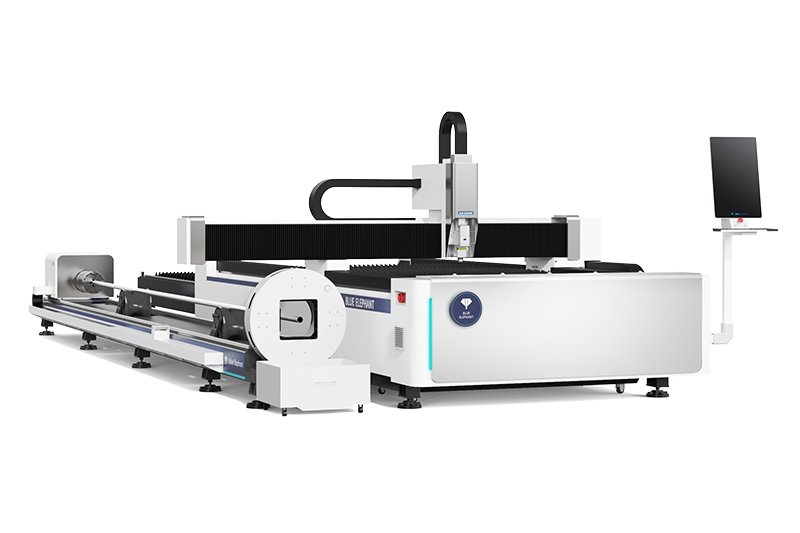
1530EL6T Tube and Sheet Fiber Laser Cutting Machine
The 1530EL6T is a dual-purpose fiber laser that cuts both metal sheets and tubes, helping users reduce cost and floor space. It handles 3m and 6m tubes, uses a durable cast iron bed, and includes an aviation-grade aluminum beam for stable, long-term performance. Its fully automatic dual-start chuck and imported transmission components ensure high precision and reliability.
Best for
- Rapid & Stable Tube Cutting: Equipped with a high-efficiency automatic dual-start chuck and aviation-grade beam for fast, smooth cutting of 3m and 6m tubes.
- Long-Term Precision: The cast iron bed resists deformation for up to 20 years, ensuring consistent accuracy.
- Premium Construction: Built with world-class imported transmission components for precise, stable operation.
- Combined Sheet & Tube Production: Ideal for workshops needing one machine to handle both sheet metal and long tubes while saving investment and space.
Conclusion: Investing in Your Fabrication Future
Using a laser cutting machine is a blend of digital design, precise calibration, and knowing your materials. By following these steps—from cleaning up your vector file to perfecting your focus—you will minimize material waste and drastically increase your production speed.
A high-performance machine from Blue Elephant CNC is designed to support this professional workflow. We engineer our machines for longevity and precision, focusing on the core components that affect uptime and output quality. And because we sell directly, you get this professional-grade quality without the excessive distribution costs.
If you’re ready to move past guesswork and into guaranteed precision, it’s time to choose equipment built for experts.
Ready to achieve maximum efficiency and flawless output? Explore the specifications and power options of our Fiber and CO2 Laser Machine series today!
Read more related news: