
How To Change Language In NK260 Control System
The steps are as follows. Press “System” Press “C” Press “F3”,for select the…

How To Back To “Home” In NK260 Control System
The steps are as follows. After Power on,all axis should back to “home”(REF…
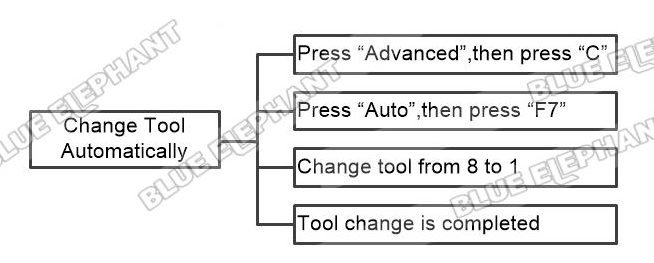
How To Change Tool Automatically In NK260 Control System
The steps are as follows. Press “Advanced”,then press “C” Press “Auto”,then…
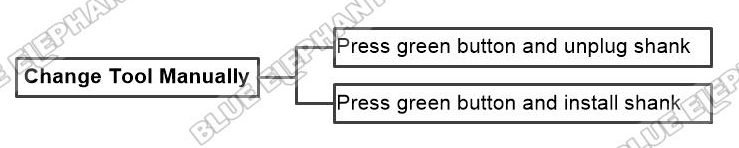
How To Change Tool Manually In NK260 Control System
The steps are as follows. Press green button and unplug shank Press green…
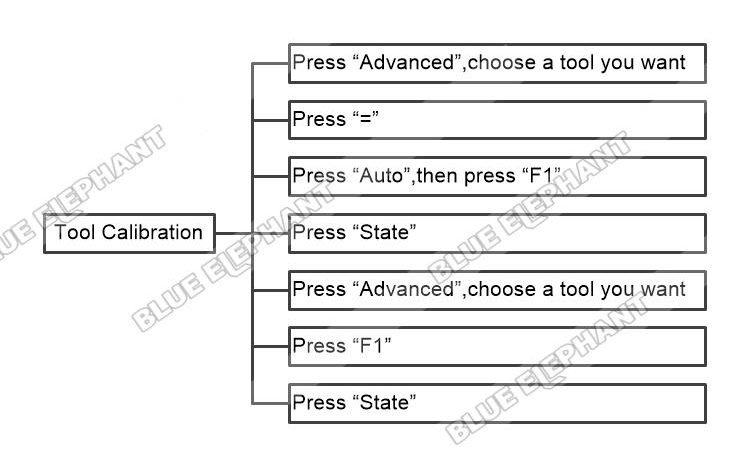
How To Do Tool Calibration In NK260 Control System
The steps are as follows. Press “Advanced”,choose a tool you want Press “=”…
How To Adjust Spindle Speed In NK260 Control System
The steps are as follows. Press “CW” 2.Turn the black button of…
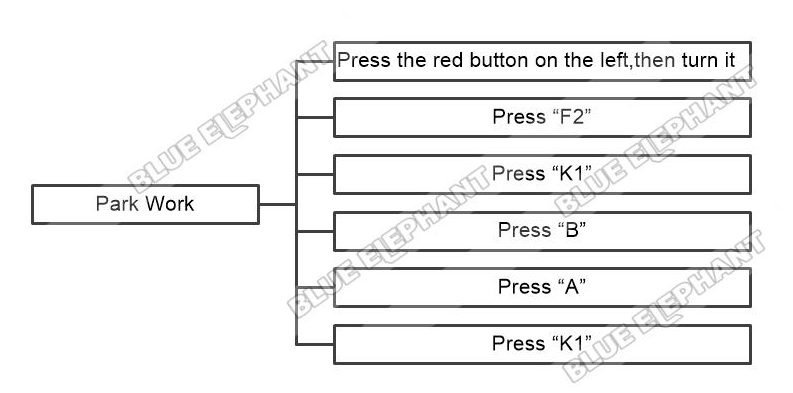
How To Do Park Work In NK260 Control System
The steps are as follows. Press the red emergency button on the left,then…
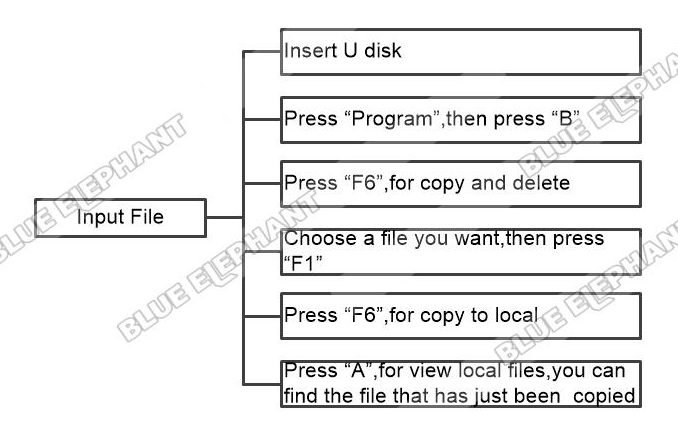
How To Input File In NK260 Control System
The steps are as follows. Insert U disk Press “Program”,then press “B” Press…
How To Load And Execute Program In NK260 Control System
The steps are as follows. Press “Program” Choose a file you want,then press…
How To Move Axis In NK260 Control System
The steps are as follows. Press “Jog” Press “Y+”、“Y-”、“X+”、“X-”、“Z-”、“Z+”,for…
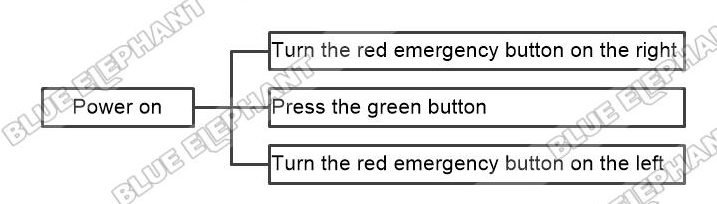
How To Power On Machine In NK260 Control System
The steps are as follows. Turn the red emergency button on the right Press the…
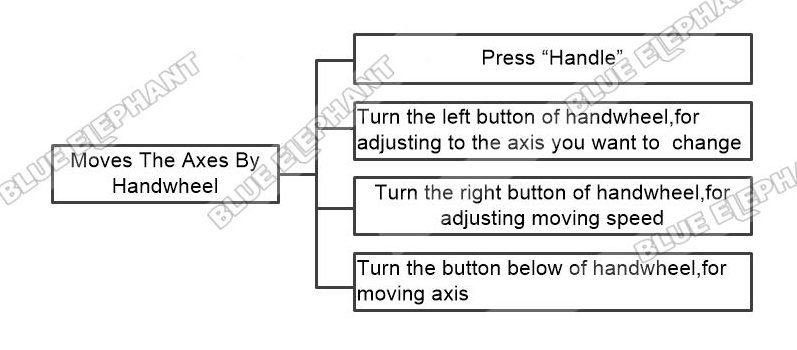
How To Moves The Axes By Handwheel In NK260 Control System
The steps are as follows. Press “Handle” Turn the left button of handwheel,for…