
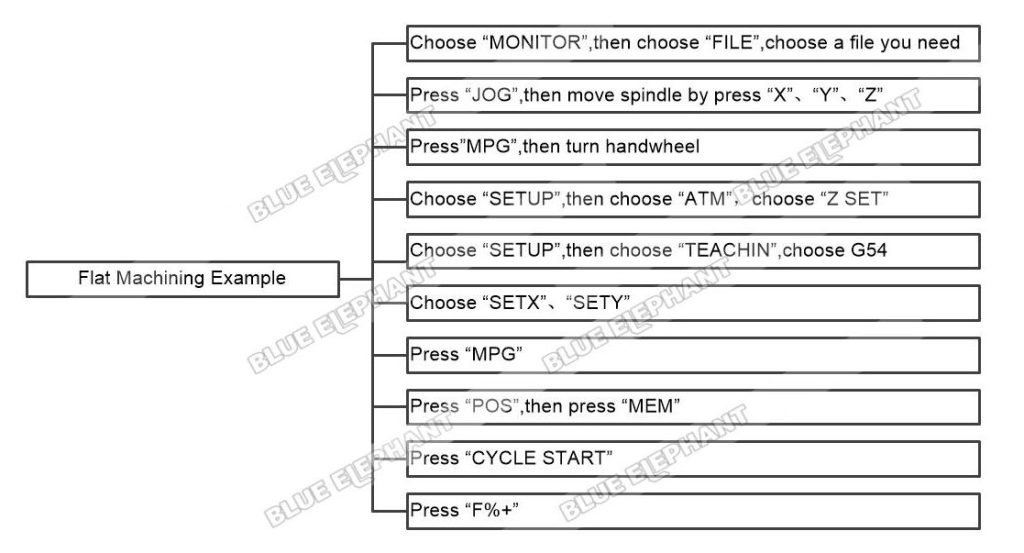
Flat Machining Example In LNC MW5800A
The steps are as follows. Choose “MONITOR”,then choose “FILE”,choose a file…

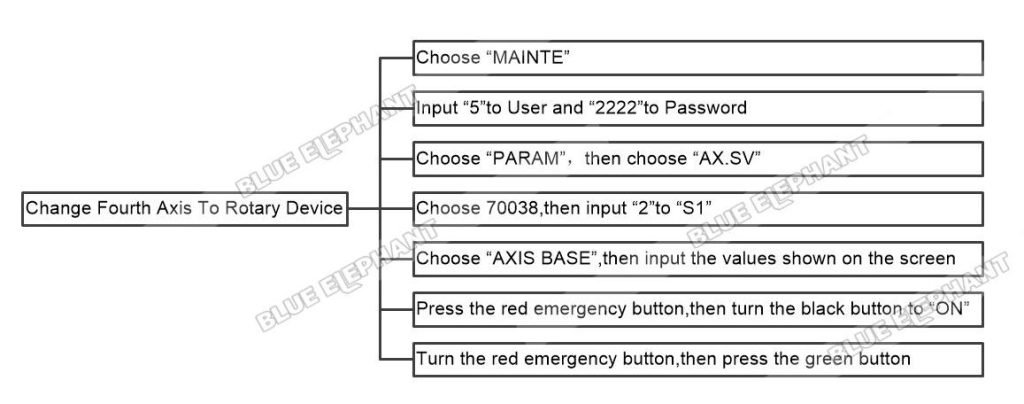
How To Change Fourth Axis To Rotary Device In LNC MW5800A
The steps are as follows. Choose “MAINTE” Input “5”to User and “2222”to…
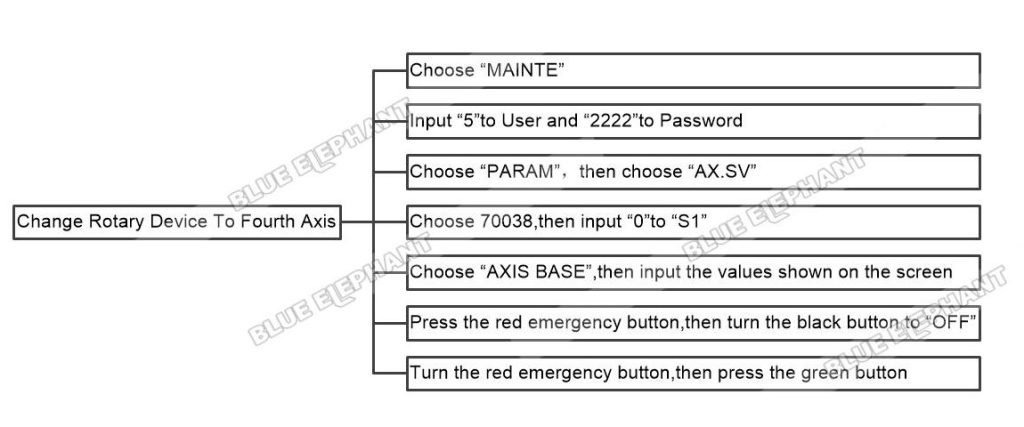
How To Change Rotary Device To Fourth Axis In LNC MW5800A
The steps are as follows. Choose“MAINTE” Input “5”to User and “2222”to…
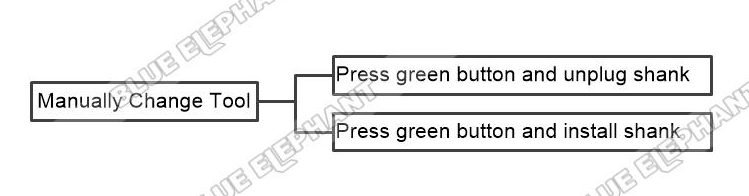
How To Change Tool In LNC MW5800A
The steps are as follows. Part1 Manually change tool Press green button and…

How To Input And Execute File In LNC MW5800A
The steps are as follows. Part1 Input File Insert U disk Choose “FDIT…
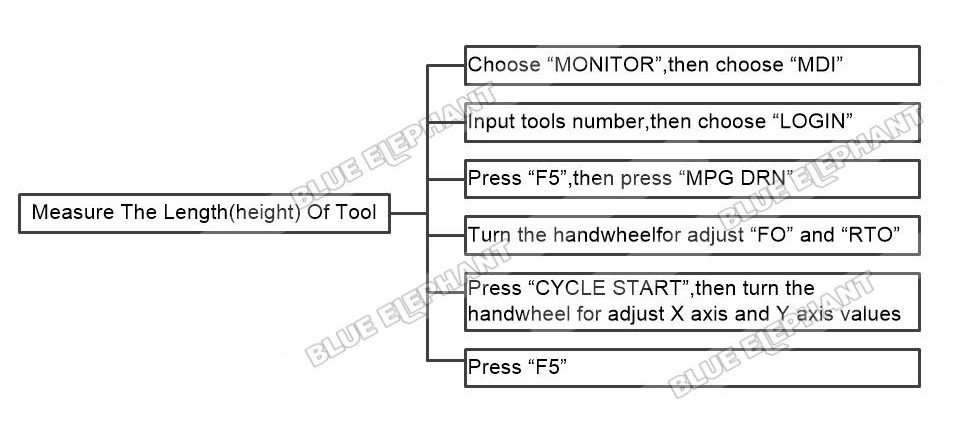
How To Measure The Length(height) Of Tool In LNC MW5800A
The steps are as follows. Choose “MONITOR”, then choose “MDI” Input tools…
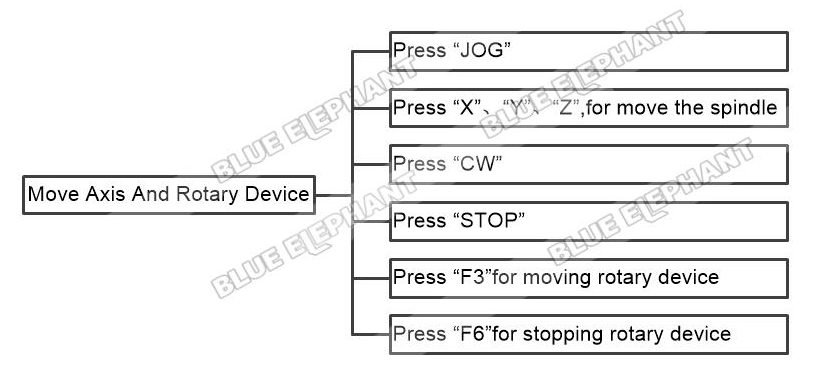
How To Move Axis And Rotary Device In LNC MW5800A
The steps are as follows. Press “JOG” Press “X”、“Y”、“Z”,for move the spindle…
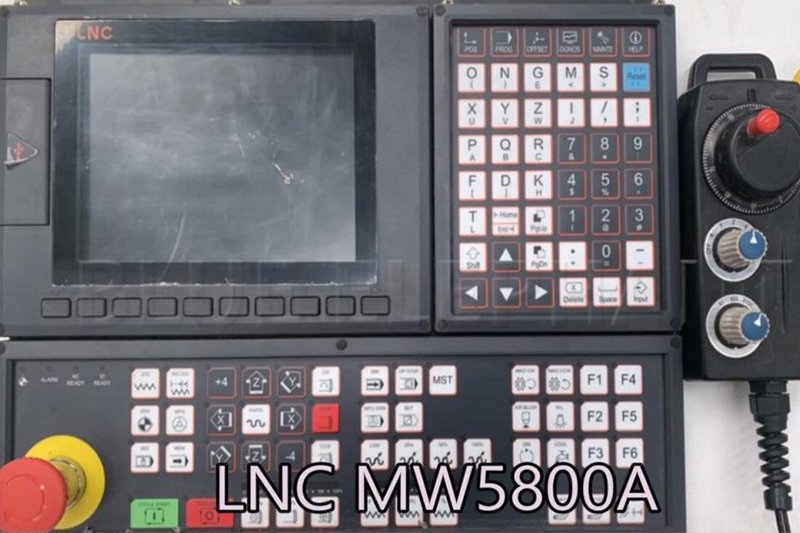
How To Move Fourth Axis In LNC MW5800A
The steps are as follows. Press “JOG” Press “+4”and “-4”for rotary spindle The…
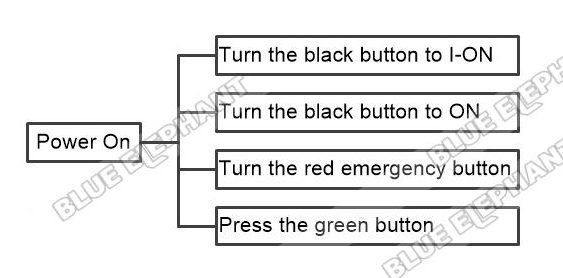
How To Power On Machine And Back To Home In LNC MW5800A
The steps are as follows. Part1 Power On Machine Turn the black button to……
How To Set Coordinate System Of Z Axis Gap In LNC MW5800A
The steps are as follows. Press “JOG” Move spindle by press “X”、“Y”、“Z” Press…
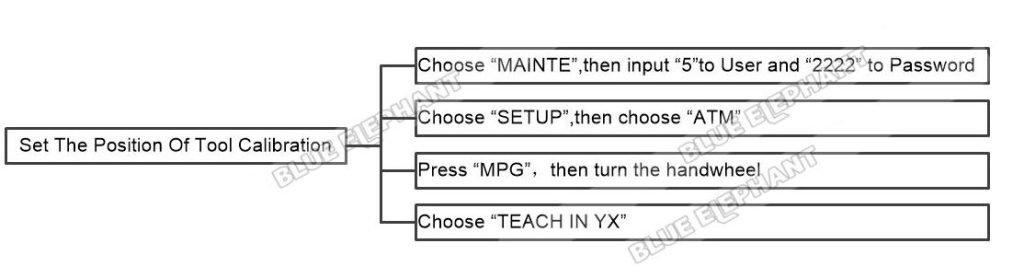
How To Set The Position Of Tool Calibration In LNC MW5800A
The steps are as follows. Choose “MAINTE”,then input “5”to User and “2222” to…
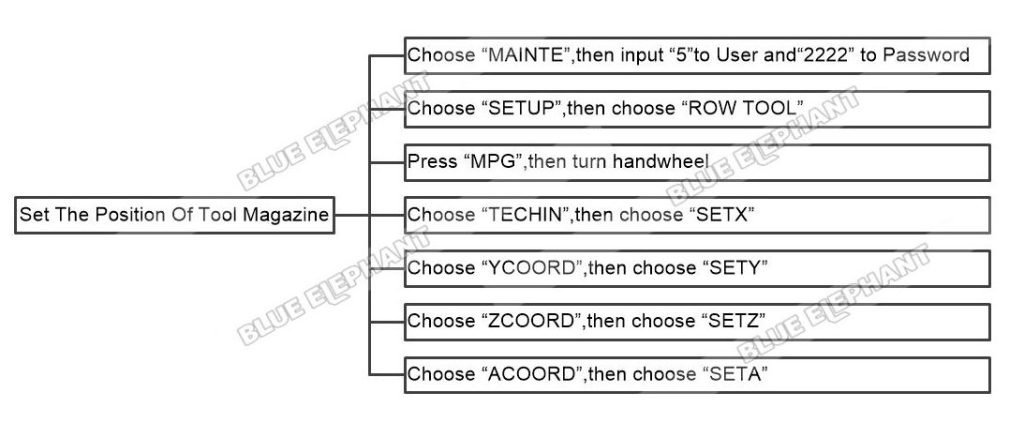
How To Set The Position Of Tool Magazine In LNC MW5800A
The steps are as follows. Choose “MAINTE”,then input “5”to User and“2222” to…