
Introduction: Why Wood Signs are the Perfect Project
Wood signs are classic. They add a personal touch to any space. Maybe you want a welcome sign for your home. Or a professional plaque for your business. Making them yourself is very rewarding. It is also a great way to start a new business.
But how do you get that perfectly carved look? Hand carving is slow. It can be hard to get it right. The secret is using a CNC router. A CNC machine makes the job easy. It guarantees high precision and perfect results. This guide will show you everything. We will cover the whole process. From your design idea to the final product.
Let’s dive in and learn the best way.
Step 1: Choosing and Designing Your Wood Sign
The first step is about vision and material. A great sign starts with a great plan.
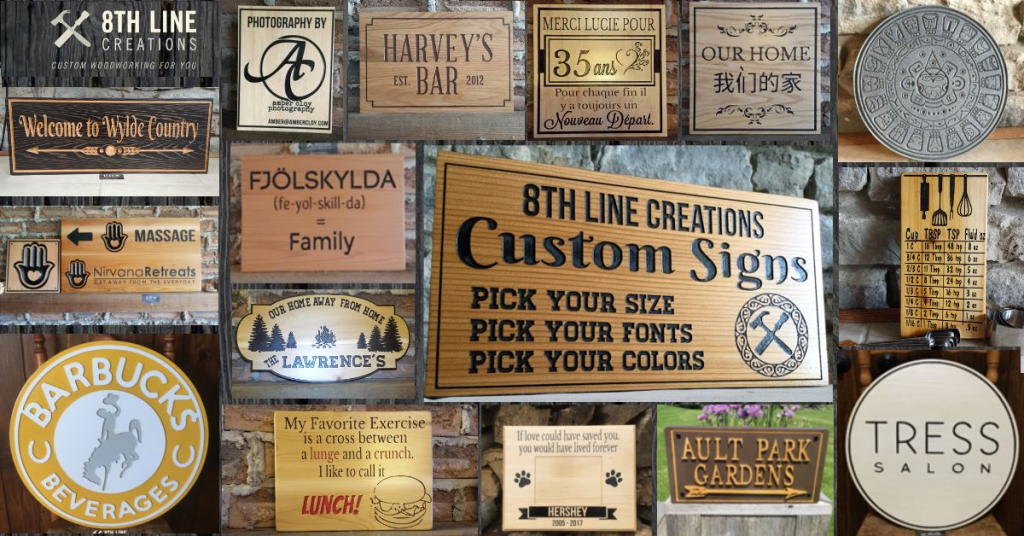
1. Finding the Perfect Design and Font
- Think about your sign’s purpose. Is it rustic? Modern? Funny? The design should fit the style. You can find many free design templates online. Or you can sketch your own idea.
- Font choice is very important. Choose a font that is easy to read. Thick, block fonts are often best for carving. Thin, delicate fonts can be hard for the CNC. Make sure the lines are clear.
2. Selecting the Best Wood for Your Project
The right wood makes a huge difference. You need wood that is stable and easy to carve.
| Wood Type | Best For | CNC Carving Notes |
| Pine | Budget-friendly, rustic signs | Soft, carves quickly. Can splinter easily. |
| Oak | High-end, durable signs | Hard, very strong. Requires slower carving speeds. |
| Maple | Detailed, fine-line signs | Hard, very smooth grain. Excellent for precision. |
| MDF (Medium Density Fiberboard) | Indoor signs, painting | Smooth, no grain. Great for sharp, clean edges. |
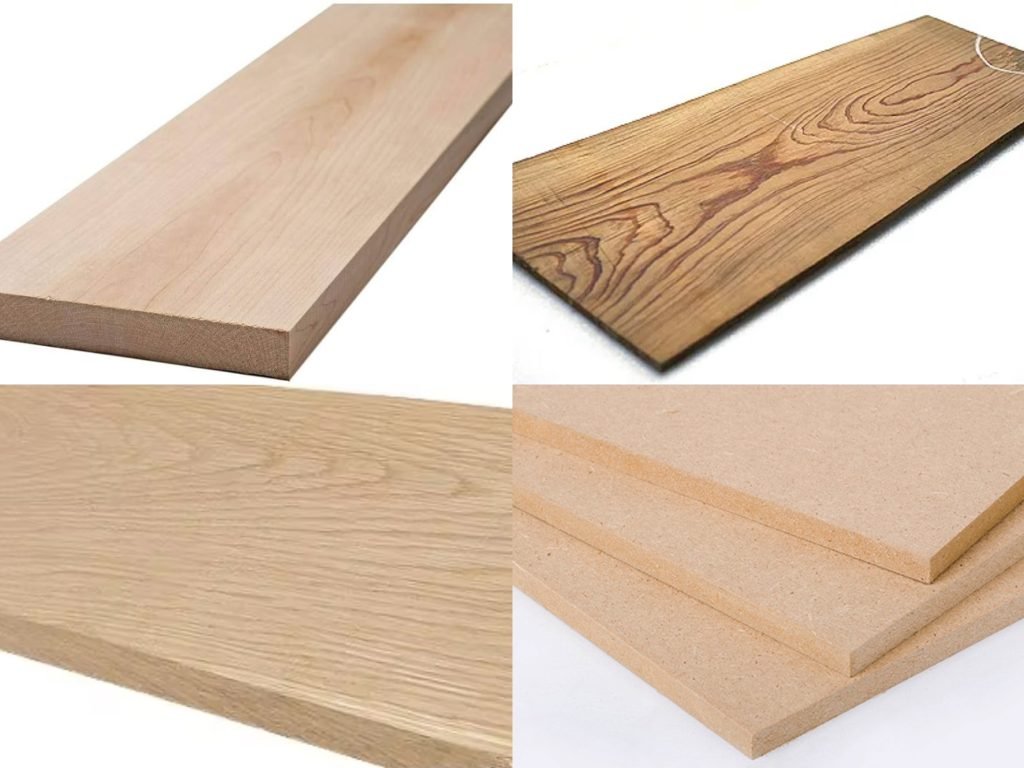
Always pick wood that is flat and dry. This prevents warping after carving.
Step 2: Preparing Your Design for the CNC Router
The CNC machine needs a specific file. This step prepares your design for the machine. This is called CAM software work.
1. Understanding CAD and CAM Software
First, you use CAD (Computer-Aided Design). Programs like Vectric Aspire or Adobe Illustrator work well. You create your design in this software. The CAD file is the visual drawing.

Next, you use CAM (Computer-Aided Manufacturing). This software tells the machine how to move. It takes your design and creates the toolpaths. Toolpaths are the instructions for the spindle.
2. Setting Up Your Toolpaths
This is where you define the carving strategy. You must select the right settings:
- Tool: Which router bit will you use?
- Depth of Cut: How deep will the carving go?
- Feed Rate: How fast will the bit move through the wood?
- Spindle Speed (RPM): How fast will the bit spin?
These settings ensure a clean, fast cut. An incorrect setting can break the bit. Or it can ruin your beautiful wood. This step requires high precision thinking.
The CAM program generates a G-code file. This file is the language the CNC understands.
Step 3: Setting Up the CNC Machine and Material
Safety and setup are key here. A safe setup leads to a perfect cut.
1. Securing Your Material to the Bed
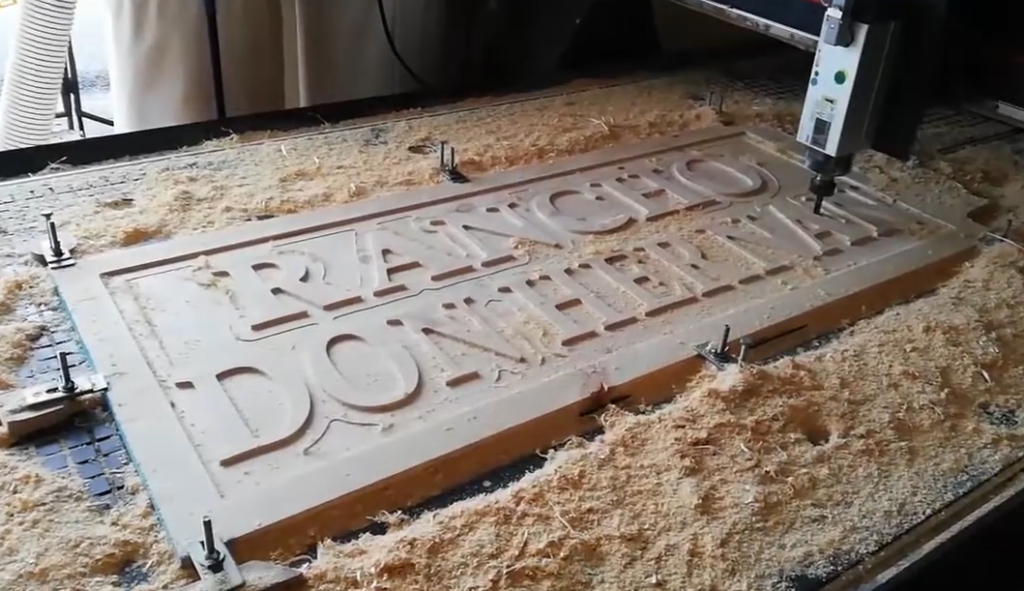
Your wood must not move. Any movement will ruin the sign. You have a few options for securing it:
- Clamps: These are common and easy to use. Make sure they are out of the carving path.
- Vacuum Table: A high-end feature. It uses suction to hold the entire piece. This is great for fast production.
- Double-Sided Tape: Good for smaller, lighter pieces.
Always check that the wood is perfectly level.
2. Setting the Z-Zero Point
The CNC machine needs to know the start point. This is called setting the Z-zero. This point tells the machine where the top of your wood is.
You can use a touch plate for this. The touch plate makes contact with the bit. This sets the height automatically and precisely. This ensures the carving depth is perfect.
Watch the following video to see how wooden signs are made using clamps and vacuum adsorption tables:
Step 4: Carving Your Wood Sign with the CNC Router
The moment of truth is here. It is time to start the carving.
1. Running the G-Code Program
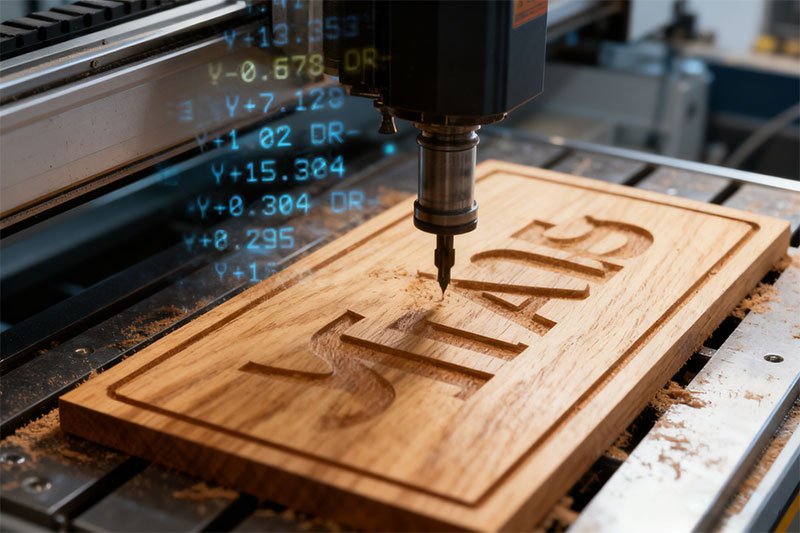
Load the G-code file into the CNC controller. Double-check all your settings one last time. Make sure the spindle is turning.
Press the START button. The router machine will begin to move. It is very important to stay close and watch. Listen for strange sounds. Look for smoke or burning. These are signs that the settings are wrong.
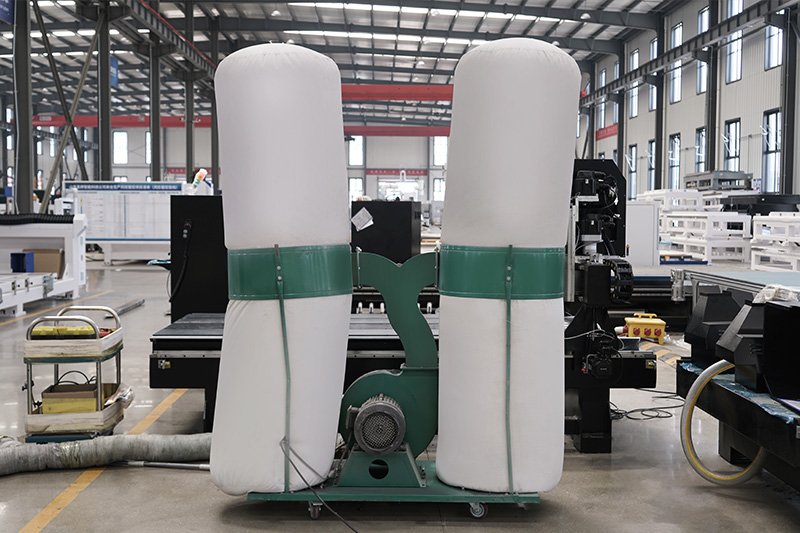
2. Managing Dust and Chips
Wood carving creates a lot of dust and chips. This dust can hide the carving. It can also damage your cnc router machine.
A good dust collector is essential. It sucks up the debris as you carve. This keeps your work area clean and safe. It also helps the router bit stay cool. This improves the quality of the cut.
Step 5: Finishing and Detailing Your Wood Sign
The carving is complete. Now it’s time for the final touches. This step makes the sign truly stand out.
1. Cleaning and Sanding the Wood
First, remove the sign from the CNC router bed. Use an air compressor to blow off all dust.
Next, it’s time to sand. Hand-sand the flat, uncarved areas. Start with a medium grit sandpaper. Finish with a fine grit (like 220 grit). Be very careful not to sand the carved details too much. A light touch is best.
2. Painting or Staining Your Carving
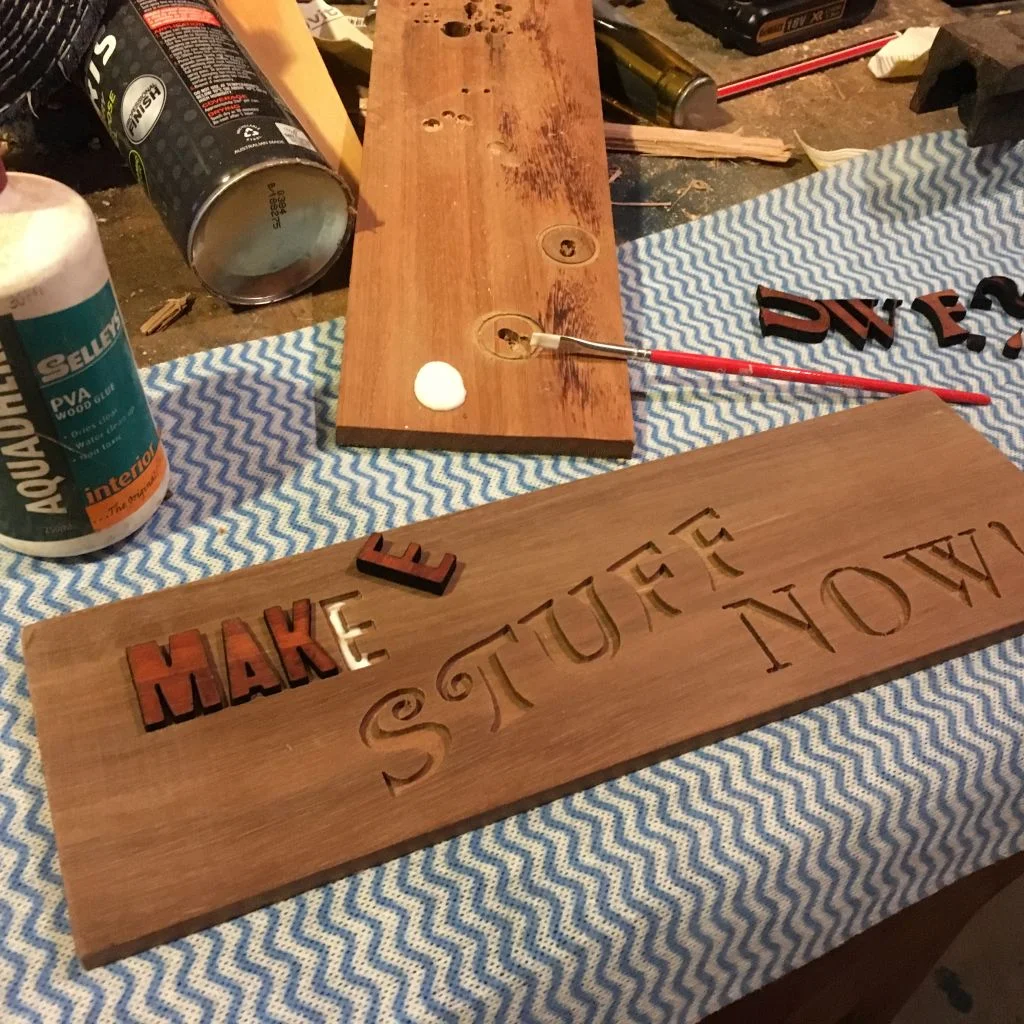
This is the most creative part. You can stain the entire sign for a classic look. Or you can paint the carved letters for a bold contrast.
- Painting the Letters: The easiest method is “flood coating.” Brush the paint over the entire carved area. Let it dry completely. Then, sand the paint off the top surface. The paint will only stay in the carved-out parts. This gives a very clean, professional look.
- Staining: Apply the stain evenly with a cloth. Wipe off the excess after a few minutes. Let it dry fully before moving on.
Some Recommended CNC Routers for Wood Sign Making
Blue Elephant CNC routers are engineered to handle the diverse needs of sign makers, offering machines that combine speed, precision, and reliability. Whether you’re creating intricate custom signage or large-scale outdoor signs, Blue Elephant has a solution that fits your requirements. Below, we’ll explore some of our top CNC machine recommendations for wood sign making.
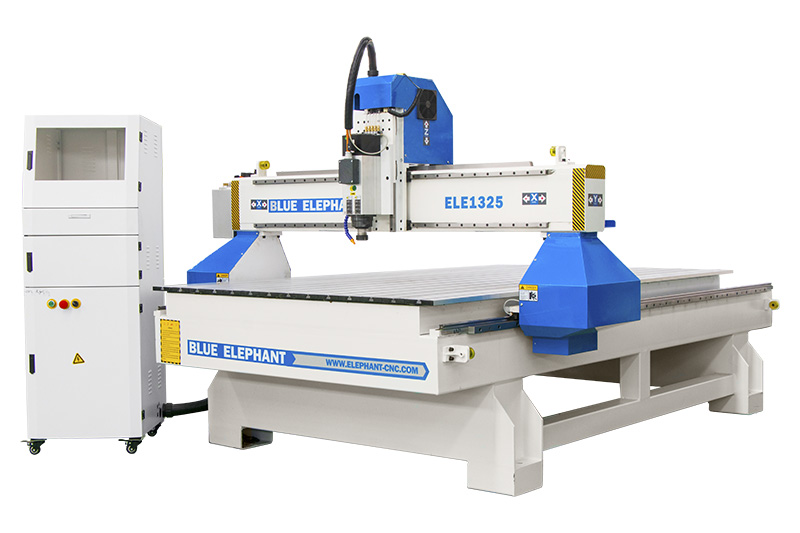
1. 1325 3 Axis CNC Router with Italy Spindle
The 1325 CNC Router is perfect for sign makers who require both speed and accuracy to produce multiple signs per day, maximizing output and profitability. This router machine boasts a heavy-duty frame, which minimizes vibration and ensures precise, clean cuts on both softwoods and hardwoods. With its high-quality spindle and stable RPM, you can create detailed designs with ease.
Key Features:
- Cutting Area: 1300mm x 2500mm (suitable for a wide range of sign sizes), option: 1500*3000mm; 2100*3000mm; 2100*4000mm, etc.
- High-Speed Spindle: Ensures clean cuts without burning or chipping
- Heavy-Duty Construction: Minimal vibration, offering high precision for detailed carvings
- User-Friendly Software: Easy to set up and operate, reducing the learning curve for new users
2. 1530 3 Axis CNC Router Machine
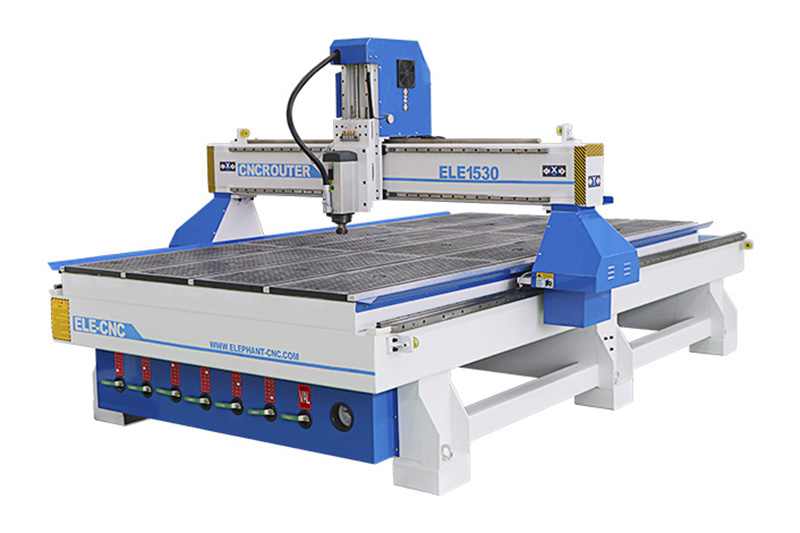
This model is ideal for high-volume sign making, where speed, efficiency, and the ability to process larger materials are paramount. With a cutting area of 1500mm x 3000mm, it can handle bigger projects such as larger wood signs or multi-layered signs.
Key Features:
- Cutting Area: 1500mm x 3000mm (perfect for larger signs or batch production)
- Vacuum Table Option: Fast loading and unloading, improving production efficiency
- Advanced Control System: Smooth operation for faster cycle times and reduced troubleshooting
- High-Precision Spindle: Delivers consistent, high-quality cuts on a variety of wood types
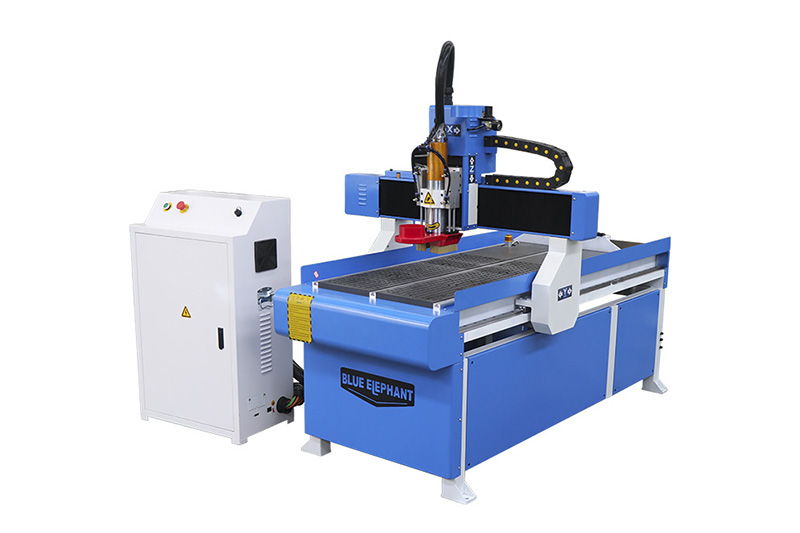
3. 6090 Linear ATC Hobby CNC Router
If you’re a smaller sign shop or a hobbyist looking to create wood signs without the need for a large machine, the 6090 Mini CNC Router is the perfect choice. Despite its compact size, this machine doesn’t compromise on precision or cutting power. It’s ideal for small to medium-sized wood signs, logos, and custom engravings.
Key Features:
- Compact Design: Perfect for small workshops with limited space
- Affordable and Efficient: Great entry-level CNC machine for small sign shops
- Precise Cutting: Ensures detailed and smooth carvings for fine lettering and designs
- Portable: Easy to move and set up in different workspaces
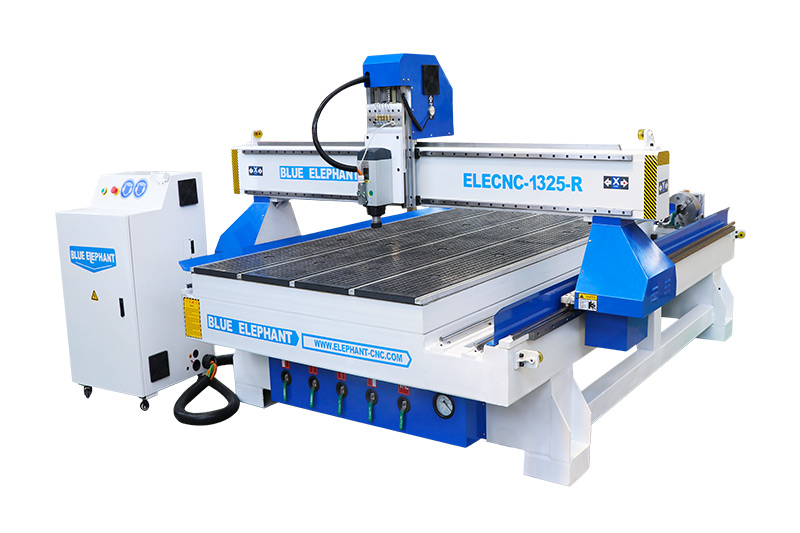
4. 1325 Rotary Axis CNC Router
For sign makers who need to carve more complex, multi-dimensional signs, the 4 Axis CNC Router is an advanced option. The additional rotary axis allows for 3D carvings and the ability to work on cylindrical materials, making it perfect for signs with unique shapes, custom textures, or three-dimensional designs.
Key Features:
- 4th Axis Rotary Attachment: Ideal for creating 3D carvings and engraving on round or cylindrical materials
- Heavy-Duty Frame: Ensures stability and reduces vibration, critical for precision 3D work
- High-Speed Spindle: Powerful cutting and engraving on wood, acrylic, and other materials
- Advanced Software: Full control over complex designs, including 3D engraving and multi-dimensional features
Why Choose Blue Elephant CNC for Your Sign Making?
You need a machine that delivers speed and accuracy. For professional results, your CNC must be reliable. Blue Elephant is designed for high-efficiency carving.
1. Precision and Stability for Perfect Carvings
Our machines feature heavy-duty steel frames. This rigid construction eliminates vibration. Less vibration means higher precision on every single cut. This is critical for detailed lettering. Our high-speed spindles can handle hardwoods easily. They maintain a stable RPM. This prevents burning and chipping. You get crisp edges and smooth pockets every time.
2. Increased Processing Efficiency and Output
Time is money in any business. Blue Elephant CNC routers are built for speed. They move quickly without losing accuracy. This reduces your cycle time. You can carve more signs per day. Our advanced control systems ensure smooth operation. You spend less time troubleshooting. You spend more time making money.
| Feature | Blue Elephant Advantage | Direct Benefit to You |
| Heavy-Duty Frame | Minimal vibration | Higher carving precision on small details. |
| High-Quality Spindle | Consistent, powerful RPM | Clean cuts, no burning, longer bit life. |
| Vacuum Table Option | Fast material loading/unloading | Maximizes production time and profit. |
| User-Friendly Software | Easy setup and operation | Reduced learning curve, faster project starts. |
We are committed to quality components. This means less downtime for maintenance. It ensures your business runs smoothly.
Conclusion: Start Creating Wood Signs Today
Making wood signs is an enjoyable and profitable hobby. It becomes a professional business with the right tools. A high-quality CNC router is the single most important tool. It is the core of your sign-making success.
You have learned all the essential steps. From design to G-code to final finish. Now you need the power and reliability of a professional machine. Blue Elephant is the partner you need. We provide the speed, precision, and stability to grow your business. Stop wasting time with low-quality cuts. Invest in the best.
Take the next step towards perfect sign production. Visit our website. Explore our high-end CNC routers. Find the model that fits your shop.
Ready to upgrade your carving game?
Click here to view our professional CNC router lineup and order today!
Some related articles: