
Are you looking for free laser cut files for your laser machine? Whether you are using a fiber laser for metal cutting (stainless steel and carbon steel) or a CO₂ laser for non-metal materials such as acrylic and MDF, selecting the right laser cut file is essential because it directly affects processing accuracy, edge quality, and overall production efficiency.
This article will introduce laser cutter file types and formats, explain which files are supported by different laser cutting machine types, provide a detailed classification of metal and non-metal test files, and recommend trusted free laser cut file websites for download.
I. What Are Free Laser Cut Files?
Free laser cut files are vector design files that can be used directly for laser cutting processes, equipment testing, and mass production. These files are typically used in critical production stages such as performance testing of laser cutting equipment, parameter tuning, sample making, and trial production verification. Common formats include DXF, SVG, AI, and DWG.
II. Why Professionals Use Laser Cut Files
For the laser cutting industry, laser cut files are more than just documents; they are crucial tools for evaluating equipment, optimizing processes, improving production, and reducing costs. Users with higher quality requirements especially value the use of laser cut files for acceptance testing and debugging.
Below are some real customer processing scenarios showcasing the most common use of laser cut files. After reading this, you’ll understand why professionals use test files and why laser cut files are so important.
1. Import and Cut Instantly, Saving Design and Debugging Time
If you are in the crafts, gift, wooden model, or furniture accessories that require high-frequency mass production and fast delivery, whether you are in small-scale production or factory batch processing, you have certainly encountered problems with laser cutting files, such as messy lines, unclosed nodes, and broken paths.
After importing such problematic cutting files into laser equipment, we still need to spend a lot of manpower and effort on retouching and debugging.
However, professional cutting files have the advantages of standardized layout, vector optimization, and path preprocessing. After importing laser cutting files into the laser machine, there is no need to draw from scratch, repeatedly modify lines, or test parameters. Therefore, it can significantly reduce debugging time and improve processing efficiency.
2. Precise Cutting, Seamless Assembly, and Stable Quality
If you work in model making, cultural and creative products, or any industry that requires high-precision assembly, you’ve probably run into these issues:
- Poorly designed cutting files cause parts to fit poorly or leave gaps during assembly.
- Sharp corners and rounded edges often come out messy, which raises your defect rate in mass production.
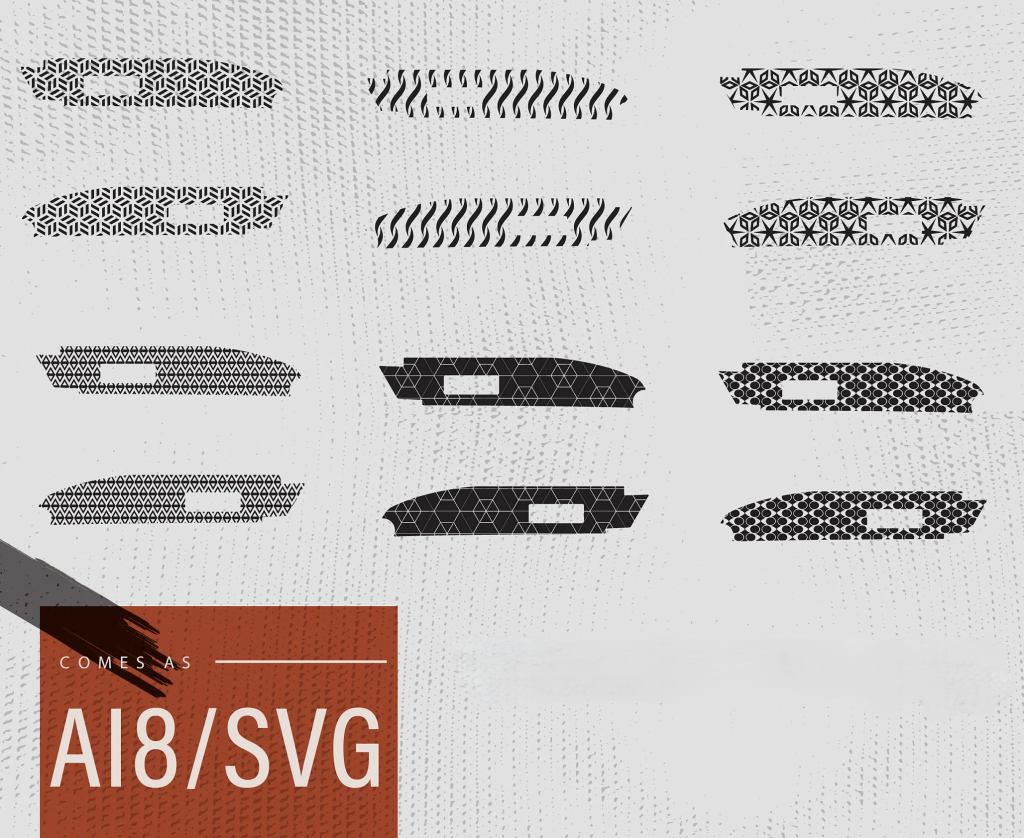
Our high-quality cutting files use standard vector formats: SVG, DXF, and AI. They feature clean lines and properly structured nodes, so you get accurate, consistent, professional results every time. For example, the small holes, grooves, sharp corners, and rounded edges in the cutting effect are all processed cleanly, neatly, and precisely.
3. One File Adapts to Multiple Material Cutting
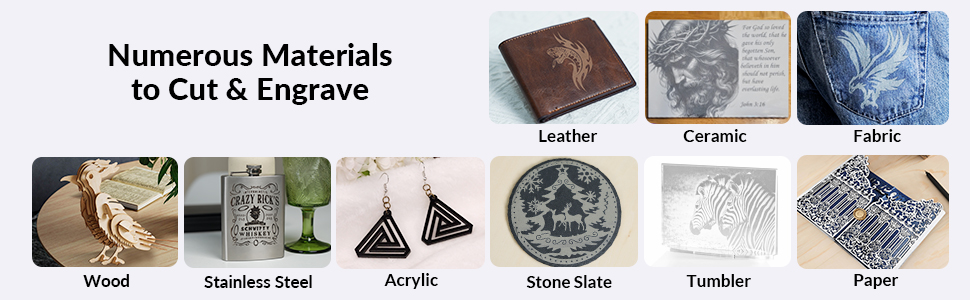
Common laser‑cut materials include wood, leather, acrylic, cardboard, fabric, and thin metals. Each material has its own processing characteristics.
Ordinary laser cutting files often only work for one material. When you switch materials, you have to redesign the drawing and adjust parameters repeatedly, which is time‑consuming and inefficient.
Our files are optimized for multiple materials. Line spacing, hollow ratios, and structural strength are all field‑tested to greatly reduce burning, deformation, breakage, and material jamming.
This lets you expand your product line easily and improve material utilization.
4. Fast New Product Launches, Strong Competitiveness
If you’re an e-commerce seller or own a small studio, you definitely need to rapidly iterate your products to meet the ever-changing market demands. Similarly, you may have encountered problems with cutting files, such as slow design, slow prototyping, and slow product launches.
Standardized laser cutting files are mature, aesthetically pleasing, and structurally sound. They not only allow you to create prototypes with just your drawings but also support batch copying, easily enabling large-scale production.
Therefore, they help you achieve rapid iteration, respond to market demands immediately, and enhance your brand competitiveness.
5. Low-barrier Design, Quickly Create Great Products
Beginners want to do laser cutting but don’t know how to draw. Studios want to quickly update products but don’t have time for design. Factories want to mass-produce or provide customized services to users but don’t have enough time to draw blueprints. Therefore, not everyone can quickly and accurately use laser cutting files (CAD, AI).
A complete set of professional laser cutting files can solve the problems of “not understanding, not being able to draw, and drawing too slowly.”
It enables beginners with no experience to quickly get started, studios to quickly prototype and develop, and enterprises to efficiently complete customized orders.
III. Laser Cutter File Formats , Types and Applications
1. Laser Cut File Formats
Laser cutting machines essentially rely on vector graphics to achieve cutting effects, meaning they need to cut according to clear lines, coordinates, and paths. Therefore, only standard vector formats (such as SVG, DXF, and AI) can allow the control system to accurately read and convert them into a stable and smooth cutting path. Below are five common laser cutting file formats:
DXF: Currently the most widely used industrial standard format, compatible with almost all laser cutting and engraving machines, offering the strongest versatility.
SVG: Commonly used in design software and light industrial processing, suitable for cultural and creative products, gifts, models, etc., facilitating editing and modification.
AI: Adobe Illustrator’s proprietary vector format, featuring clear lines and fine editing, suitable for high-precision graphics and professional design.
DWG: The native design format of CAD software, primarily used for industrial drafting, structural components, and precision parts design.
PLT: A format commonly used in early laser machines and engraving equipment, currently mainly used for some older models, with limited compatibility.
The laser cut file formats supported by different types of laser equipment are determined by the control system and software version. Choosing the correct file format ensures smooth data import, accurate path generation, and stable processing results. Below is a display of laser machine format compatibility, which we hope will be helpful.
Laser Cut File Format Compatibility Demonstration
| Laser Cut File Formats | Fiber Laser Cutting Machine | CO2 Laser Cutting Machine |
| DXF | ✅ | ✅ |
| SVG | ✅ | ✅ |
| AI | ❌ | ❌ |
| DWG | ✅ | ✅ |
2. Laser Cutter File Types by Function
Test Files
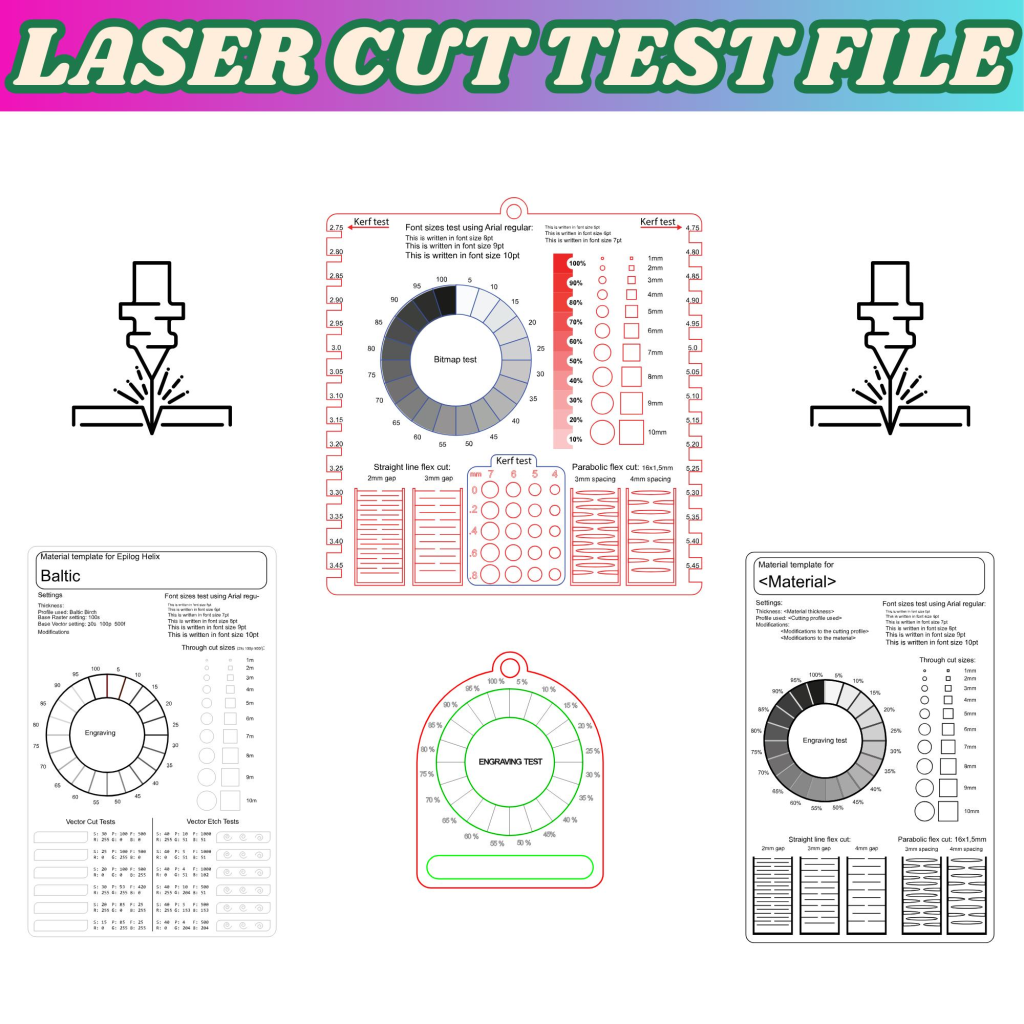
Test files are primarily used for debugging your laser equipment, accepting the machine upon receipt, and verifying parameters before production. The purpose is to help you calibrate the equipment and adjust parameters to avoid problems during formal production. Below are common test items:
- Small Hole Accuracy Test: Confirms that the small holes are round, unblocked, and free from deformation, meeting your accuracy requirements.
- Edge Quality Test: Ensures smooth cut surfaces, free of burrs and slag, reducing rework hassles.
- Power and Speed Parameter Test: Helps you find stable and efficient processing parameters, saving time and costs.
- Material Thickness Verification: Confirms that commonly used sheet metal can be cut through and accurately in one pass, matching production needs.
Design Files
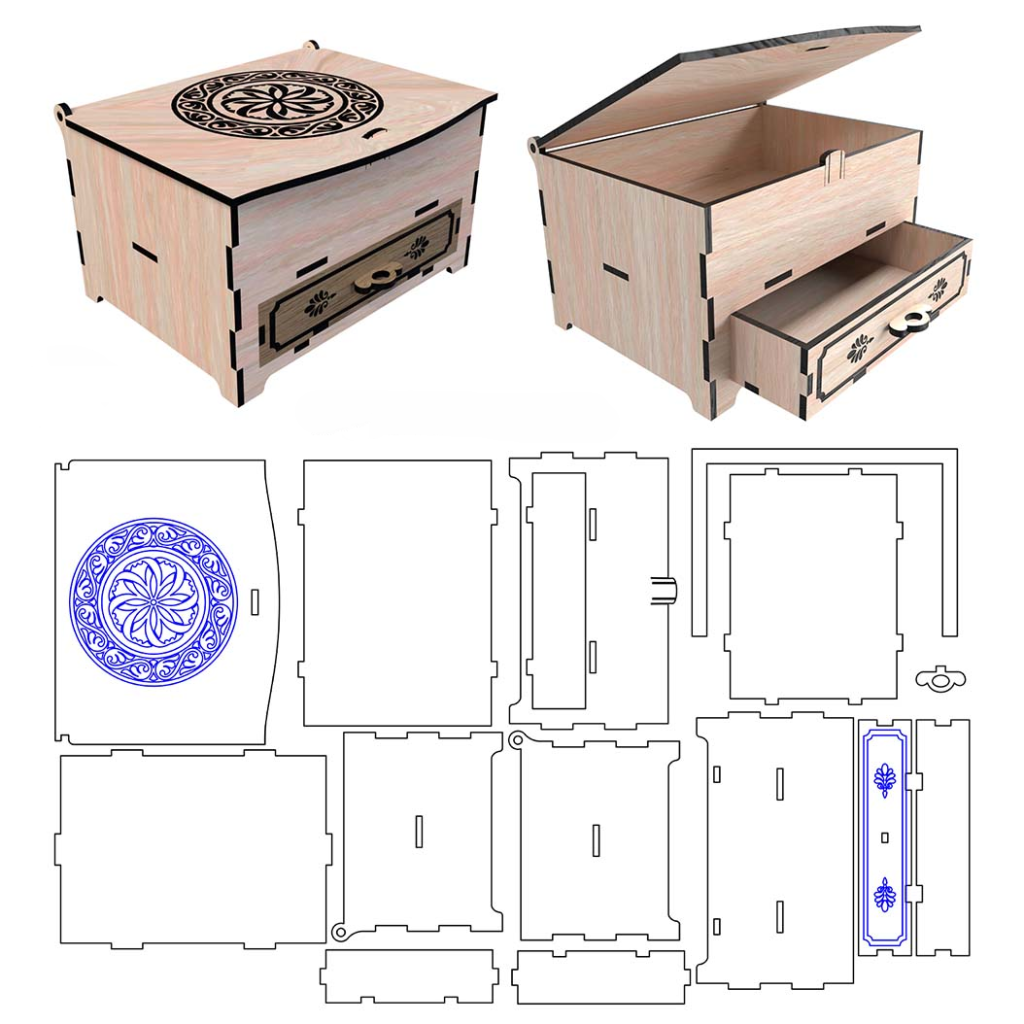
Design files are used in your product development, new product prototyping, and personalized customization stages. They primarily help you implement various requirements and optimize modifications to meet expectations. Common applications include:
- Structural Design: Modifying product shape, size, openings, etc., according to your requirements.
- Decorative Pattern Design: Adjusting appearance needs, such as patterns, fonts, and layout.
- Personalized Customization Projects: Creating exclusive patterns, text, sizes, etc., according to specific customization requirements.
Production Files
Production files are the optimized and validated final versions. This type of files balances efficiency and quality, primarily intended for batch processing. Therefore, it is also well-suited for industrial mass production. The following are the characteristics:
- Optimized cutting path: Reduces idle cutting and improves production efficiency.
- Increased material utilization: Optimized layout reduces waste, helping you save costs.
- Ensures stable processing: Consistent parameters reduce the risk of tool breakage and overheating, improving yield.
Sample Files
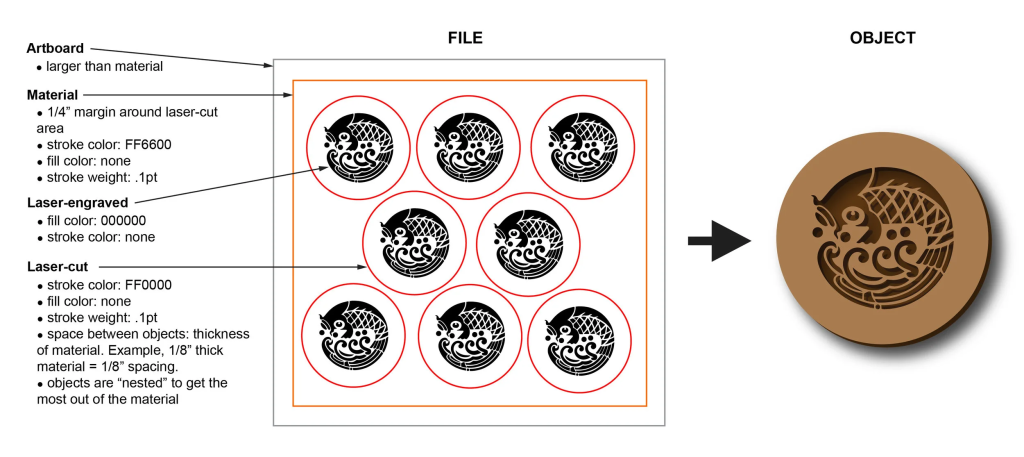
Prototype files are primarily used to verify that your product achieves the expected processing results, while also mitigating the risks of mass production. They mainly verify the following:
- Structural fit: Ensure parts dimensions are appropriate, achieving a secure assembly without looseness.
- Assembly effect: Guarantee the overall assembly is tight and flat, meeting expectations.
- Appearance quality: Check surface, edges, and pattern clarity.
3. Laser Cut File Applications in Metal vs. Non-Metal Industries
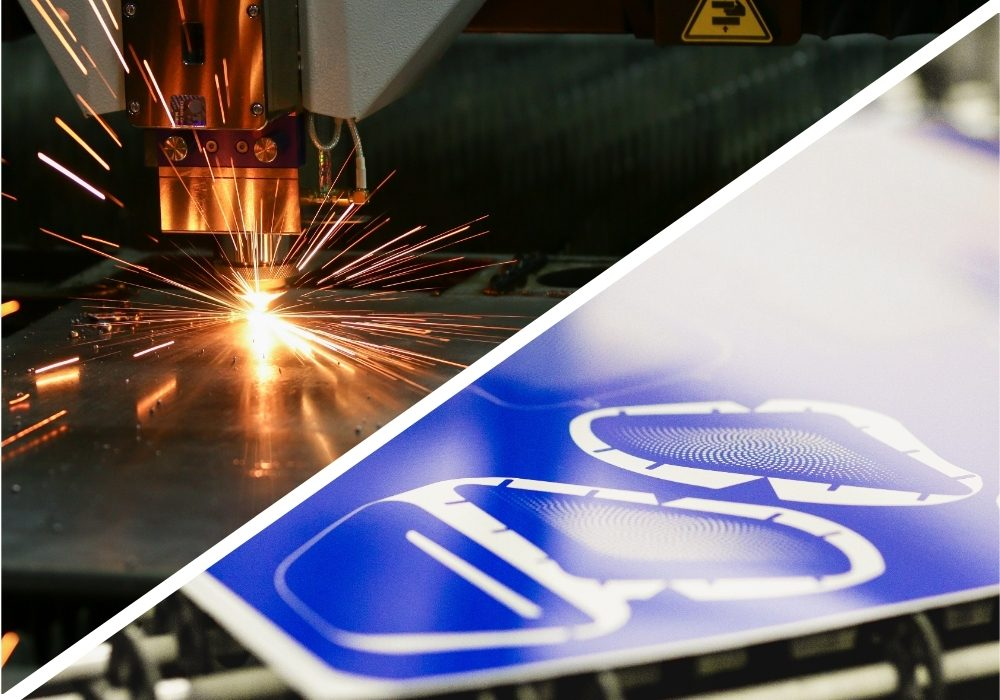
The application priorities of laser cutter files differ between the metal and non-metal industries. Metal processing emphasizes precision and structural performance, while non-metal processing focuses more on edge quality and appearance.
The metal industry prioritizes dimensional accuracy, cut perpendicularity, and structural stability, focusing on small hole precision, deformation-free operation, and assembly fit. The primary goals are to optimize the cutting path, improve efficiency, and ensure batch stability.
The non-metal industry prioritizes visual appeal and surface texture. It emphasizes aesthetically pleasing patterns, complete shapes, and overall appearance, such as smooth edges, no yellowing, no burrs, and no scorched edges.
Below are the key differences and areas of focus:
| File Type | Metal Industry | Non-Metal Industry |
| Test Files | Test accuracy and power on steel and aluminum | Check edge quality and burn marks on acrylic and MDF |
| Design Files | Structural and mechanical part design | Signage and decorative product design |
| Production Files | Mass metal sheet cutting | Batch acrylic and wood cutting |
| Sample Files | Functional metal prototypes | Appearance and structure validation |
IV. How to Correctly Use Laser Cut Files in Production
A complete standard production process proceeds in the order of prototyping → debugging → design → mass production → management. Regardless of the production stage, correctly using laser cutting files can significantly improve your processing accuracy, production efficiency, and material utilization. Follow the steps below to achieve more efficient and stable processing results in actual production.
Step1: Before mass production, you must run the test files.
Optimize cutting parameters using the test files to avoid batch scrap and reduce material waste.
When machining metals, focus on adjusting power, speed, and auxiliary gas to ensure clean, slag-free cuts.
When machining non-metallic materials (acrylic, wood, MDF, etc.), carefully check edges for scorching, yellowing, and smoothness.
Step2: Adjust the design documents according to material thickness and equipment performance.
Carefully check the dimensions, proportions, and layers for accuracy. For example:
When cutting metal, pay attention to kerf compensation and dimensional tolerances to ensure assembly precision.
When cutting non-metallic materials, avoid overly dense or fine patterns to reduce deformation and scorching.
Step3: Optimize Production Document Layout for Mass Production
When entering mass production, you need to properly layout your production documents. Utilize layout software to improve material utilization and reduce waste.
For example, pay attention to the grain direction when processing wood to improve finished product quality. Alternatively, group similar parts together to reduce idle equipment runs and improve production efficiency.
Step4: Before production, use sample files for product verification.
For new products or customer orders, always first use sample files for prototyping and confirmation. Only proceed with mass production after customer confirmation. This effectively reduces risk.
For metal samples, focus on checking structural fit and assembly precision.
For non-metal samples, focus on appearance, edge finish, and detail quality.
Step5: Establish standardized document management for stable long-term production
Standardized management reduces errors, making your production more stable and efficient. Therefore, you can establish a simple document management process.
Use a unified naming convention to categorize and save test, sample, and production documents. Record the corresponding material, thickness, and processing parameters for each project.
V. Top 10 Free Laser Cut Files Sites to Download
Here are 10 recommended websites for free laser cut files, with details on file types and suitability for metal or non-metal cutting and their applications.
1. 3axis.co
- Website: https://3axis.co/
- File formats: DXF, SVG, CDR, PDF
- Suitability: Metal & Non-metal (sheet metal, wood, acrylic, MDF)
- Application: Over 21,000 free files including decorations, 3D puzzles, and mechanical parts. No registration required.
2. Library Laser
- Website: https://www.librarylaser.com/
- File formats: DXF, SVG, CDR, AI, PDF
- Suitability: Metal & Non-metal (sheet metal, plywood, acrylic, leather)
- Application: 3D puzzles, wall art, keychains, and furniture plans, compatible with fiber and CO₂ lasers.
3. DXFhome
- Website: https://dxfhome.com/
- File formats: DXF, STL
- Suitability: Mainly metal (carbon steel, aluminum) + non-metal (wood, acrylic)
- Application: Industrial vector files for sheet metal, CNC, laser and plasma cutting, available for commercial use.
4. Free-DXF
- Website: https://free-dxf.com/
- File formats: DXF, SVG, AI, CDR
- Suitability: Metal & Non-metal
- Application: Community-shared files including mechanical parts, signs, and decorative patterns, ideal for mass production.
5. Ponoko Free Designs
- Website: https://www.ponoko.com/free-designs
- File formats: SVG, EPS, PDF
- Application: Creative DIY, crafts, small furniture, optimized for CO₂ laser cutters.
6. Vecteezy (Free Section)
- Website: https://www.vecteezy.com/free-vectors/laser-cut-files
- File formats: SVG, AI, EPS, PDF
- Suitability: Mainly non-metal (acrylic, wood, paper)
- Application: Decorative patterns, lettering, small ornaments, some free for commercial use.
7. Free Vector
- Website: https://www.freevector.com/
- File formats: CDR, SVG, EPS, DWF
- Suitability: Mainly non-metal (acrylic, MDF, wood)
- Application: Animal, nature, and holiday patterns. Free for personal use, no registration needed.
8. DXF for CNC
- Website: https://dxfforcnc.com/
- File formats: DXF
- Suitability: Mainly metal (sheet metal, stainless steel, aluminum)
- Application: Industrial parts, fixtures, signs with preview images, great for fiber lasers.
9. Freepik (Free Laser Cut Files)
- Website: https://www.freepik.com/vectors/laser-cut
- File formats: SVG, AI, EPS
- Suitability: Mainly non-metal (acrylic, wood, leather)
- Application: Modern decorations, gifts, packaging designs, free for personal use.
10. Laser Ready Templates
- Website: https://laserreadytemplates.com/
- File formats: SVG, DXF, PDF
- Suitability: Metal & Non-metal
- Application: General-purpose templates including signs, boxes, puzzles, updated regularly.
Further Reading: Level Up Your Laser Cutting Skills
Now that you’ve mastered the files and resources, choosing the right tools can make your creations even more effective.
Check out our related guides:
- Take You Get The Best Free CNC CAD Software – Before you cut, you need to design. Discover the top free CAD software for creating your own project files, from 2D vectors to 3D models.
- Top 10 Best Laser Cutter Software – Explore which software, from LightBurn to Fusion 360, best fits your workflow.
- 8 Best Laser Cutters for Home Use – Discover the top laser cutters perfect for home studios or small startups.
From files and software to hardware, we hope these resources help you turn your ideas into reality!
VI. Free Laser Cut Files FAQ
Q1: Where can I find reliable free laser cutting files?
A: You can search in professional vector graphics libraries and design communities. However, be sure to preview the file content and check the format accuracy and compatibility before downloading. The most reliable way is to contact the laser cutting equipment manufacturer to obtain genuine files.
Q2: Is it safe to download free files?
A: Files from reputable websites are relatively safe as they require verification. However, from the perspective of an engineer at a laser machine manufacturer, I still recommend obtaining files directly from the manufacturer or scanning them for security before use.
Q3: Are the free files compatible with different brands of laser equipment?
A: File compatibility is mainly determined by the file format. As long as the format is accurate and supported by the laser equipment system, it can be used with different brands of laser equipment.
Q4: Do free files come with technical support?
A:Most free files do not include dedicated technical support. If you need help, you can contact us for professional adjustment.
Q5: What should I check before using a downloaded file for production?
A:Check the file structure, closed paths, scale accuracy, and layer settings to ensure proper cutting performance.
Q6: Can I convert one design format to another?
Yes. laser cut files (such as DXF, SVG, AI, EPS, CDR) can generally be converted between each other while maintaining accuracy, dimensions, and editability, which is ideal for laser cutting.
Ⅶ. Get the Technical Files Support
Whether in equipment debugging, product development, sample verification, or mass production, free laser cutting files are an indispensable resource in the metal and non-metal processing industry. Choosing the right file format, controlling file quality, and using them correctly will definitely improve production efficiency and profits.
As a manufacturer with 16 years of experience in laser equipment, we strongly recommend that you choose reliable laser cutting files. For professional laser cutting solutions or optimized production files, please contact us at any time for technical and free file support. In addition to providing free laser cutting files, we also offer a variety of laser equipment to meet your needs in the metal and non-metal industries for cutting, engraving, marking, welding, cleaning, and other processing effects.
You might also be interested in:
7 Best Laser Engraver for Beginners